ChatGPT Plus vs Pro: which plan, and is Pro worth it?
Plus is $20 a month. Pro comes in three tiers at $100, $200 and $500. Here is what each one adds, what changed on September 29, and how to tell which one your usage needs.
- ChatGPT
- Claude
- Gemini
- Grok
- Cursor
- Perplexity
- + more
Mac & Windows
Mac: Apple Silicon (M1 or later), macOS 13+. Windows 10/11.
Our tools are trusted by 25,000+ AI heavy users.
Your accounts. Your limits. Right on your desktop.
The short answer
Plus is enough as long as you do not regularly reach its limits. Pro makes sense when long Codex or ChatGPT Work sessions keep running into the Plus allowance. Start with Pro 100. Move up to Pro 200 or Pro 500 only if Pro 100 still stops you, or if you need Ultrafast, which only Pro 500 includes.
Plus, Pro 100, Pro 200 and Pro 500 at a glance
| Plan | Monthly price | Models and modes | Codex and Work | Billing | Source |
|---|---|---|---|---|---|
| Free | $0 | GPT-5.6 Luna, including Think | Limited Codex, limited Work on desktop | No subscription | OpenAI |
| Go | Shown on chatgpt.com/pricing for your country | GPT-5.6 Luna, including Think | Codex with Terra; higher limits than Free | Monthly | OpenAI |
| Plus | $20 | GPT-5.6 Sol (Medium and High thinking) | Expanded Codex and Work, with GPT-6 Astra in Work and Codex | Monthly | OpenAI |
| Pro 100 | $100 | Adds Extra High and Pro thinking, GPT-6 Pro in Chat | Longer Codex and Work sessions | Monthly only | OpenAI |
| Pro 200 | $200 | Same models as Pro 100, more included usage | More included usage than Pro 100 | Monthly only | OpenAI |
| Pro 500 | $500 | Adds GPT-6 Astra Ultrafast, the only Pro tier with it | Highest included usage of the three Pro tiers | Monthly only | OpenAI |
OpenAI does not publish fixed message counts for every plan, and allowances change. For the limits per model, see ChatGPT usage limits and the limits compared across providers.
What changed on September 29
What changed, September 29, 2026
OpenAI added Pro 500 and reopened Pro 200 to new subscribers. New Pro 200 subscriptions come with a lower included allowance than before. The price stays at $200 a month.
If you subscribed before September 29
If your Pro 200 subscription was active at any point from September 22 through 10 a.m. Pacific Time on September 29, 2026, you keep the previous allowance through October 29, 2026, while the subscription stays active. After that date, it moves to the lower allowance at the same price. Keeping the old allowance does not upgrade you to Pro 500 or add Ultrafast.
How usage is metered
- Included usage first, then credits. Each plan has an included allowance. For eligible features, you can buy credits once it runs out. Credits cover Codex, ChatGPT Work and the Office add-ins, not every model or feature.
- Speed modes cost more allowance. Fast mode uses your allowance at 2.5 times the Standard rate. GPT-6 Astra Ultrafast uses it at 8 times the rate.
- Similar tasks can cost different amounts. The model, the context processed, reasoning, tool use and caching all change how much allowance a task uses.
- Limits cannot be reset on request. OpenAI Support cannot reset ChatGPT or Codex limits. You wait for the reset or switch to another available model.
Who should stay on Plus
- You reach a limit a few times a month at most.
- Your work is mostly chat, writing and research, with occasional Codex or Work sessions.
- When you do hit a limit, waiting for the reset or switching models is acceptable.
Who should look at Pro 100, 200 or 500
- You hit the Plus allowance several times a week, mostly in Codex or ChatGPT Work.
- You need GPT-6 Pro in Chat, or the Extra High and Pro thinking levels.
- You need Ultrafast, which only Pro 500 includes.
- You are on Pro 200 from before September 29: check how your usage holds up after October 29, when the lower allowance applies.
How to know what you actually use
In ChatGPT, open Settings, then Usage, to see your included usage and any credit balance. In Codex, open Usage and Billing. ChatGPT also shows the reset time when a model reaches its limit.
Watch your own limits
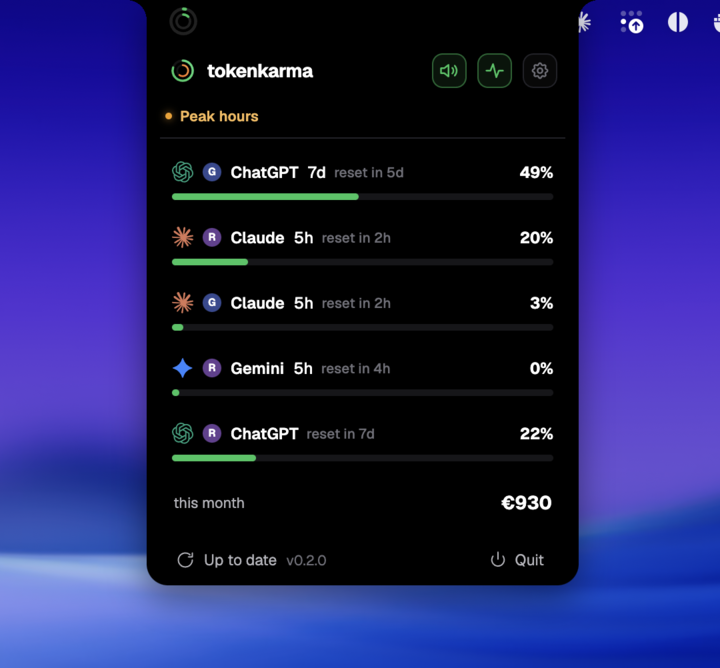
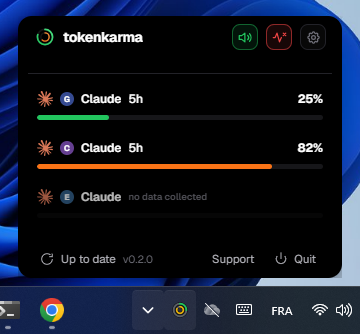
tokenkarma shows your ChatGPT and Codex usage windows and reset times on your Mac or Windows desktop, next to Claude, Cursor, Gemini and the other AI plans you pay for. Paid plans estimate when you will reach a limit, so you can decide before a long session whether Plus still holds. See current plans.
Frequently asked questions
Is ChatGPT Pro worth $200?
It depends on how often you reach your limits. If Plus rarely stops you, Pro mostly adds headroom you will not use. If you regularly run long Codex or ChatGPT Work sessions and hit the Plus allowance, Pro 100 is the first step to try before Pro 200.
How much is Pro compared to Plus?
Plus costs $20 a month. Pro costs $100, $200 or $500 a month depending on the tier, so the cheapest Pro tier is five times the price of Plus. Prices are list prices before tax.
Should I get Pro or Go?
Go is a low-cost plan for everyday chat with higher limits than Free. It does not include GPT-5.6 Sol. If you need advanced reasoning, Codex or Work, compare Plus and Pro instead.
Does ChatGPT Pro have annual billing?
No. OpenAI bills Pro monthly only. Annual billing and payment for several months in advance are not available.
Can I keep Pro if I join a ChatGPT Business workspace?
Yes, as long as your personal workspace stays separate. Merging your personal workspace into Business changes how the subscription is handled, so read OpenAI's migration article before merging.
Does tokenkarma tell me if Pro is worth it?
No. It shows how close you get to your limits and when they reset. The decision stays yours. tokenkarma reads limits for ChatGPT. It does not read your ChatGPT price.
Sources, checked October 7, 2026
- OpenAI Help: About ChatGPT Pro tiers
- OpenAI Help: What is ChatGPT Plus?
- OpenAI Help: What is ChatGPT Go?
- OpenAI Help: GPT-5.6 and GPT-6 Pro in ChatGPT
- ChatGPT pricing page
Independent guide, not affiliated with OpenAI. Your account settings show the plans and limits available to you.