GPT-6 Astra limits: which window is full?
Separate Work and Codex usage from GPT-6 Pro in Chat. Understand the windows behind a limit message before starting your next task.
- ChatGPT
- Claude
- Gemini
- Grok
- Cursor
- Perplexity
- + more
Mac & Windows
Our tools are trusted by 25,000+ AI heavy users.
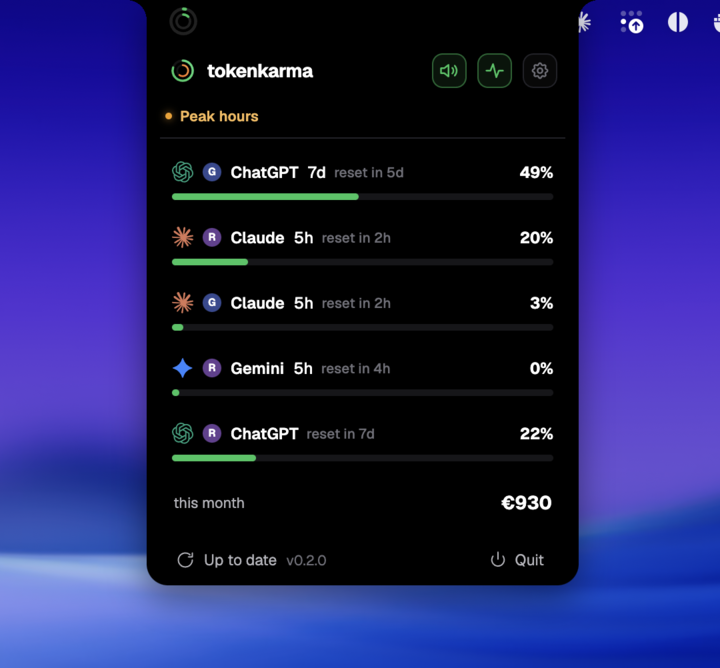
Your accounts. Your limits. Right on your desktop.
Work and Codex share an allowance. Depending on your plan, five-hour and weekly limits can both apply. GPT-6 Pro in Chat is powered by Astra, but has separate message limits.
Two windows.
Both need room.
Illustrative usage for an account with both windows. Follow the reset times shown for your account.
Why stop before five hours?
Five hours is a usage window, not five hours of continuous work. A demanding task can exhaust it sooner. Where both windows apply, a weekly balance does not bypass a full five-hour window.
Does switching models reset usage?
No. Switching does not replenish a shared pool. Task size, reasoning settings and Fast mode can change consumption. Check the remaining allowance before committing to the next task.
Read estimates as estimates
OpenAI lists estimated local messages per five-hour period for Astra: 5–45 on Plus, 25–225 on Pro 5x and 100–900 on Pro 20x. These are not guaranteed message counts.
What can TokenKarma show?
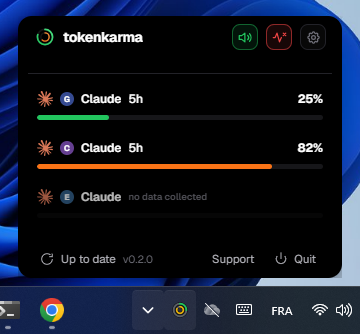
The connected account determines which windows are returned. TokenKarma displays the available readings and resets; do not assume every account supplies a five-hour counter, a separate Astra counter, or a GPT-6 Pro Chat message count.
Keep the next limit in sight.
Bring the usage readings and reset times reported by your connected account onto your desktop. TokenKarma shows the counters your provider exposes; it does not create a separate quota for every model name.
Frequently asked questions
Is an API key covered by the same allowance?
API-key usage is billed separately from the included Work and Codex allowance.
Where do I check the exact reset?
Use Settings → Usage in the provider account. TokenKarma keeps the reset readings supplied by your connected account nearby.
Sources, checked September 25, 2026
Independent guide. Your provider’s current account settings determine your available limits.