Your Perplexity usage. More clarity for your research.
Keep the usage available from your Perplexity account next to your other AI tools. TokenKarma helps you check your remaining room before starting another research task.
- Perplexity
- Claude
- ChatGPT
- Gemini
- Grok
- Cursor
- + more
Mac & Windows
Our tools are trusted by 25,000+ AI heavy users.
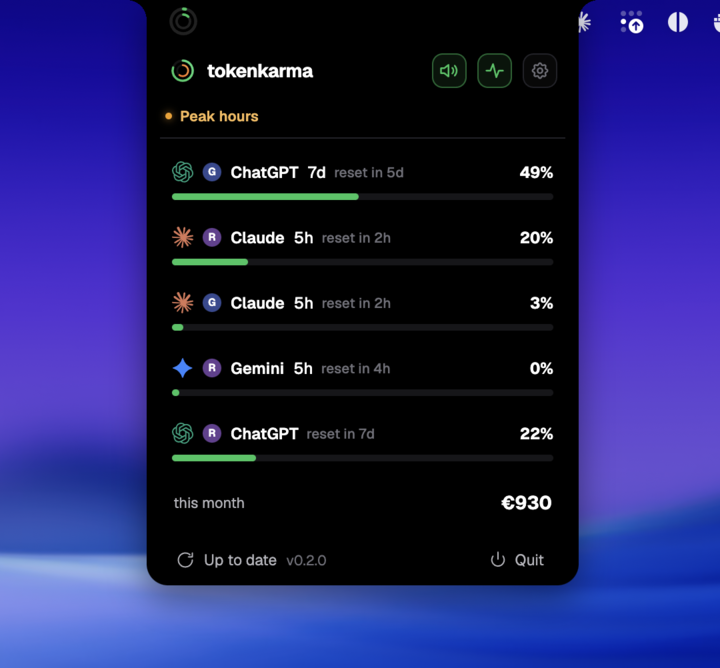
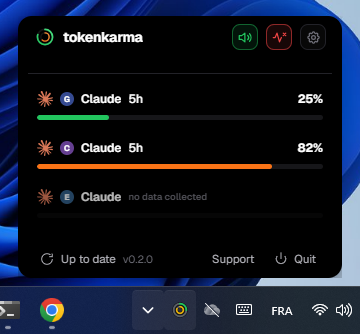
Your accounts. Your limits. Right on your desktop.
How Perplexity limits work
Pro Search and Research are separate. The period also changes by plan: Free Pro Search is daily, while paid Pro Search is weekly.
Consumer and enterprise subscription allowances. The Perplexity API is billed separately.
On paid plans, the payment schedule is not the refresh schedule for every feature. Free also has limits.
Swipe to see the full timeline ↔
The allowance is spent. The subscription is still active.
You can reach the cap before the period ends. Included usage resumes at its reset, not when you pay again.
Paid Pro Search uses weekly allowances. Remaining searches do not refill the separate Research allowance.
Example timeline, not your account usage. Times and consumption are illustrative. *Eligible upgrades or extra usage may offer other options. Use the reset shown in your account.
Is this a rolling window?
A continuously rolling window releases capacity as older activity leaves the lookback period. A scheduled reset refreshes an allowance at a stated time. They are different mechanisms. These illustrations show a reset boundary, not a promise that every message expires individually after five hours or seven days.
What changes with your plan?
| Plan | Pro Search | Research |
|---|---|---|
| Free | 3 / day | 1 / month |
| Pro / Education Pro | Weekly; no fixed count in comparison | Monthly; no fixed count in comparison |
| Max | Higher weekly access | Higher monthly access |
| Enterprise Pro | 400 / week | 50 / month |
| Enterprise Max | 4,000 / week | 500 / month |
Sources: Perplexity plan comparison
Use the notice for the feature you need
Other features, including uploads and Comet, have their own plan rules. Use your current account notice for the next reset; an old daily Research figure is not a reliable reference.
A note for Education Pro
The official overview calls Pro Searches unlimited, while its comparison table lists weekly limits. We use the table above; confirm the entitlement shown on your Education account.
What you can see in TokenKarma
TokenKarma can read available Perplexity remaining counters. Not every response includes a total or an exact reset. Check Perplexity for the authoritative period and reset rather than treating an estimate as a guarantee.
Keep your connected accounts in view on Mac or Windows. Available features depend on your TokenKarma plan and the data your provider returns.
DownloadFrequently asked questions
Do all Perplexity accounts have daily limits?
No. The period depends on the plan and feature.
Does a Perplexity subscription include API usage?
No. The API has separate billing.
Independent guide, not affiliated with Perplexity. Checked against the official sources on September 22, 2026. Your account’s current usage notice takes precedence when limits change.