01
Choose your browser
Install in the profile where you use your AI accounts. Your default browser and your dashboard browser may be different.
Browser extension
Bring available usage and limits from your signed-in AI accounts into tokenkarma. Keep using the browser profile you already work in.
Your existing tokenkarma account. No new plan to choose.
 Claude
 ChatGPT
 Gemini
One connection, clearly explained
The extension shows collection and synchronization status. Open the app to see your usage readings.
Install in the profile where you use your AI accounts. Your default browser and your dashboard browser may be different.
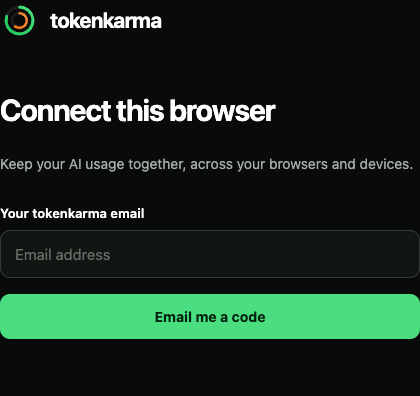
Enter your tokenkarma email and verify it with the code from your inbox. Use the same account as your app.
Stay signed in to the providers you want to track. Check collection status in the extension, then open tokenkarma.
Same account. Another connection.
Keep your existing tokenkarma account, subscription and app. The extension connects your browser’s readings to that account.
Several browser profiles? Each one has its own extensions and signed-in accounts. Connect the profile you actually use.
Using Safari? The Chrome Web Store extension needs a compatible browser. You can keep Safari as your default.
Know what you connect
The extension reads supported counters and account details. It also sends installation information and account-linked collection diagnostics. It is not designed to collect your prompts, conversations or source code.
What the extension readsLocal developer tools are handled separately by the desktop app.
The right browser profile. Your existing account. A few simple steps.
02Check your profile, sign-in and connection without removing a working setup.
03Find out what has reported usage and what still needs attention.
Still stuck? We can help you check your setup.
Contact support